


Spelling Bee: Spelling Quiz
4.6258.00 Reviews
App Specs
- Version
- 5.9
- Updated On
- License
- Free
- Downloads
- 500,000+
- Developer
- Happy-verse
- Categories
- Trivia
- Platform
- Android
Screenshots
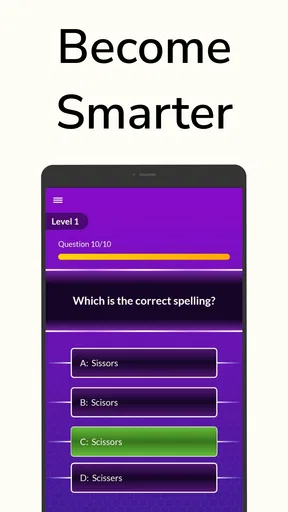
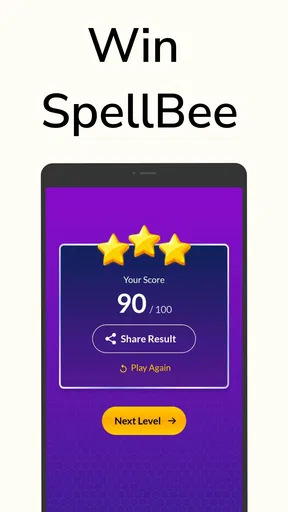
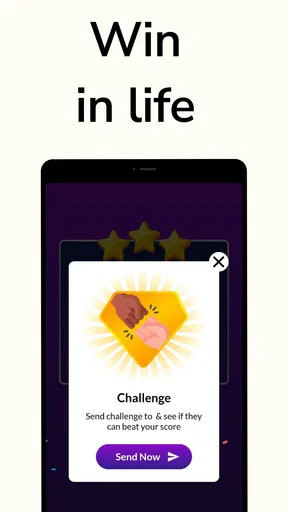
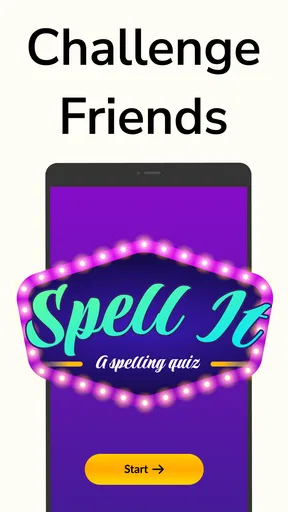
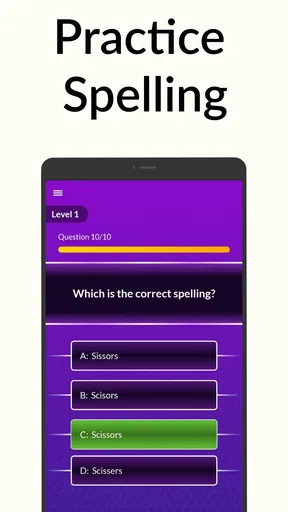
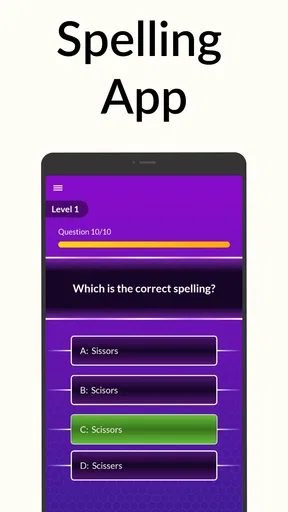
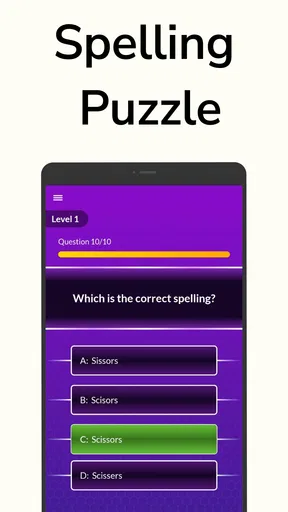
 Analysis by AppCompare
I like the idea of a spelling game that fits into the small gaps of an ordinary day: a few minutes before a meeting, a quiet stretch on the bus, or a quick break when I want something more active than scrolling. Spelling Bee: Spelling Quiz is built around that simple appeal. It turns English spelling practice into a light trivia-style activity, so I can test what I know without needing to settle in for a full lesson.
That short-session focus is also the best way to approach it. I would use a quiz to notice which words catch me out, then treat those mistakes as prompts to slow down and think about spelling patterns. It is a better fit for casual practice than for someone who wants a structured course with a defined syllabus. The distinction matters: a quiz can make repetition enjoyable, but enjoyment alone does not guarantee that a difficult word will stick.
A friendly first impression, with a practical purpose
The game comes from Happy-verse and sits in the trivia category, though its subject is more focused than a general knowledge quiz: English words and how to spell them. It is free to start, rated for Everyone, and has an average rating of 4.7 from around 3.5 thousand ratings. More than 500 thousand installs suggest that it has found an audience among people looking for an approachable word challenge.
I would not read those figures as proof that every player will learn at the same pace. The more useful question is whether the format suits your reason for practising. If you want a low-pressure way to keep spelling in view, this has an obvious appeal. If you need formal instruction, exam preparation, or carefully graded lessons, I would pair it with a more structured resource rather than expect a quiz game to do that job by itself.
The game is free, with in-app purchases listed at $4.90 to $19.00 per item. That makes it sensible to begin with the free experience and decide whether it gives you enough value before spending anything. The current version is 5.7, and the minimum operating-system requirement is Android 5.0. Those details make it easier to judge basic compatibility and the purchase model before installing.
Words set the scene more than visuals do
The title’s bee theme gives the word challenge a cheerful identity, but the real setting is the language itself: a series of spelling decisions that ask me to pay attention to letters, sounds, and familiar-looking traps. I find that a useful choice for a learning game. A strong visual world can be charming, but it cannot replace clear word practice; here, the central attraction is the puzzle of getting a word right.
That focus also shapes the mood. This is the kind of game I can imagine opening when I want a friendly mental warm-up, not an elaborate escape into a story. It works best when I treat each prompt as a small test rather than rush to chase a score. If I miss a spelling, taking a moment to identify the part I confused is more valuable than immediately moving on.
Worth Reading Before You Choose

Flipboard Shows What News Apps Must Do Beyond the Feed

Switching to Android Auto Means Rethinking Your Driving Routine

Google Calendar Makes a Crowded Week Easier to Manage

Ludo King Makes the Most of the Minutes Between Plans

Baby Panda World Brings Quick Play to Modern Phones, but Its Game Library Feels Busy

ESPN’s Live Game View Makes Following Close Games Easier
Small bursts are the natural rhythm
Spelling games depend on a simple rhythm: see a challenge, consider the word, answer, and decide whether to try another. That loop makes this sort of app easy to fit around other things. I would reach for it during a spare moment, or offer it as a quick shared challenge with a family member who enjoys word puzzles. Its Everyone content rating makes it broadly suitable by age, although younger players may still benefit from an adult helping them discuss unfamiliar words.
For a more useful solo routine, I would keep a mental note of the words that cause hesitation instead of measuring a session only by how many answers I get right. A correct guess can be fragile knowledge; explaining to myself why the spelling is correct is a better check. This small habit turns a casual quiz into more deliberate practice without making the game feel like homework.
Where it fits among spelling tools
Compared with a dictionary, a spelling quiz is more playful but less useful when I need to check one specific word quickly. Compared with flashcards, it can feel more like a game, while cards give me tighter control over what I review and how often. I would choose this for an informal challenge or a short vocabulary break, and reach for a dictionary or a planned study tool when accuracy, definitions, or a particular learning goal is the priority.
That is the main trade-off: a light quiz can encourage me to return, but it may not provide the depth or personalised sequence that serious study calls for. The app is most appealing to casual learners, word-game fans, and families who want a simple activity to share. It is less suitable for someone who dislikes quiz formats, needs a guaranteed progression from easy to advanced material, or is studying for a specific spelling assessment.
The Buzz Around Spelling Bee
Spelling Bee: Spelling Quiz offers a fresh twist on traditional spelling challenges. The app is designed to cater to all levels, from beginners to word maestros. As soon as you open the app, you’re greeted with a clean, user-friendly interface that makes navigation a breeze. The bright, cheerful colors immediately set a fun and inviting tone—exactly what you need to dive into a spelling adventure.
Features That Make It Sting
One of the standout features of this app is its diverse range of quizzes. You can choose from daily challenges, themed quizzes, or even create your own custom quizzes. This flexibility ensures you never get bored and can always find something that suits your mood. Plus, the app keeps track of your progress, so you can see how your spelling prowess improves over time.
The themed quizzes are particularly enjoyable. Whether it’s "Spooky Season Words" or "Winter Wonderland Vocabulary," there’s always something new and exciting. This feature keeps the content fresh and engaging, making it easy to lose track of time while playing.
Learning and Fun Rolled Into One
It’s not just about getting the words right; Spelling Bee: Spelling Quiz also provides definitions and usage examples. This way, you’re not only learning how to spell but also expanding your vocabulary. The app developers have cleverly integrated learning with fun, ensuring that the process never feels like a chore.
Moreover, the app includes a handy "hint" feature. If you’re stuck on a word, you can tap on the hint button to get a clue, which is a lifesaver when you’re on the brink of giving up. It’s like having a friendly bee whispering in your ear, nudging you towards the right answer.
Staying Connected and Competitive
Another sweet feature is the leaderboard. You can compete with friends or other users around the world. This competitive element adds an extra layer of excitement. It’s always fun to see your name climb the ranks as you become a spelling superstar. Plus, you can share your achievements on social media, letting everyone know who rules the hive.
The app also offers regular updates, which means new words and challenges are constantly being added. It keeps the experience fresh and ensures that you’re always learning something new. Plus, the developers are super responsive to feedback, so any bugs or issues are usually resolved quickly.
Making practice stick beyond a single round
For me, the most useful way to play is to give a missed word a second look instead of letting the score decide whether a round felt worthwhile. When a definition or example is available, I would connect the spelling to the meaning and sentence, then try to recall it later without looking. That is a small self-made review loop, not a feature I would assume the game handles automatically, and it helps turn a quick answer into something more memorable.
A realistic routine might be a parent and child taking turns after dinner, with each person explaining one tricky spelling rather than simply announcing whether it was right. Another good use is a short solo warm-up before writing an email or school assignment: a few minutes of word-focused attention can make spelling feel less rusty. I would keep the session short, though. If I start tapping through prompts without thinking, the game becomes entertainment only and the learning benefit fades.
What the format does well—and where it can frustrate
The hint option is useful when I am close but genuinely stuck, yet hints can also make a score harder to interpret. If I rely on one, I have learned something different from recalling the spelling unaided. I would use hints as a nudge, then revisit the word afterward, rather than treat a hinted answer as proof that I know it. Progress tracking can encourage consistency, but a rising record is not the same as mastery; the quality of attention matters more than the number of rounds completed.
Leaderboards add a social reason to return, particularly for friends who enjoy comparing results. They can also push the experience toward speed or competition when a learner would benefit more from pausing over a word. I would treat rankings as an optional extra, not the main measure of success. For a child who becomes discouraged by comparison, a shared goal—such as discussing a handful of new words—may be a better way to use the game.
Themed quizzes help give practice a sense of variety, but a seasonal label does not automatically mean the vocabulary matches a player’s level or learning goals. When choosing a quiz, I would pay attention to whether its words feel useful and challenging rather than pick a theme just because it sounds fun. Custom quizzes, where available, can be a better fit when someone wants to focus on words from a class, a hobby, or a personal list, though creating them takes more effort than simply starting a ready-made challenge.
Choosing the right setting for the mood
The sound and pacing matter most in how they support concentration: a spelling prompt needs enough mental space for me to think, not so much spectacle that the word becomes secondary. I prefer this kind of restrained, word-first mood for short play sessions. If I am somewhere noisy or need to stay quiet, the practical choice is to focus on the visual prompts and avoid making the experience dependent on audio. In a calm setting, I can slow down and use a definition or example to make a word stick; in a rushed setting, I am more likely to guess and move on.
That makes the game a better companion for a brief break than a replacement for a full study plan. Someone preparing for an exam should check spellings in context, practise the specific vocabulary they will be tested on, and use a resource that offers a deliberate sequence. Someone who mainly wants a friendly daily brain teaser may prefer the lighter pace here. The difference is not a flaw so much as a question of matching the tool to the job.
Cost, audience, and a sensible first try
Because the app is free to start and includes optional purchases, I would first see whether the available quizzes and practice style suit me before considering an in-app purchase. The listed purchase range is about $4.90 to $19.00 per item; I would check the purchase screen carefully and make sure a child has permission before buying anything. The broad age rating makes it approachable for families, but it does not mean every word will be familiar to every young player, so playing together can turn a confusing prompt into a useful conversation.
The game was released on May 11, 2022, and version 5.7 is the current version. I would use the minimum Android requirement of 5.0 as a quick compatibility check before installing on an older device. The app has 212 written reviews alongside its rating, but I would still judge it by trying a few rounds: the important test is whether its spelling challenges feel clear and enjoyable to the person who will use it.
A cheerful mood with a clear boundary
What I like most is the idea of making spelling feel like play without pretending that a playful quiz can replace every kind of language learning. The bee-themed presentation and bright colors give the activity a welcoming tone, while the word challenges keep the central task easy to understand. I would recommend it to someone who wants casual English spelling practice, enjoys trivia, or needs a quick shared activity. I would steer a learner who needs carefully tailored instruction toward a more structured study resource, using this game as a supplement rather than the whole plan.
Overall, the balance works when I use it on its own terms: short rounds, a little curiosity, and attention to the words I miss. Daily or themed challenges can provide a reason to return, while hints, definitions, examples, and the option to compare results give different players ways to stay engaged. The limitation is that convenience can encourage shallow play, especially when I chase a score instead of thinking through a spelling. A brief pause after each uncertain answer solves much of that problem.
Wrapping It Up
In conclusion, Spelling Bee: Spelling Quiz is a delightful app that combines education and entertainment seamlessly. Its user-friendly design, engaging content, and competitive elements make it a top choice for anyone looking to improve their spelling skills. Whether you’re a word wizard or just starting out, this app has something for everyone.
So, if you’re ready to embark on a buzzing spelling adventure, give it a try. Trust me, you’ll be hooked faster than you can say "honeycomb." Happy spelling!
Pros
- Engaging word challenges enhance vocabulary.
- User-friendly interface suitable for all ages.
- Multiple difficulty levels for diverse players.
- Offline mode for on-the-go learning.
- Regular updates with new word lists.
Cons
- Limited customization of game settings.
- Ads can be frequent and disruptive.
- Requires in-app purchases for hints.
- No multiplayer mode available.
- Lacks voice pronunciation for words.
FAQs for Spelling Bee: Spelling Quiz
What is Spelling Bee: Spelling Quiz?
Spelling Bee: Spelling Quiz is an educational app designed to improve your spelling skills through fun and engaging quizzes. It features a variety of levels and challenges tailored to test and enhance your vocabulary, making it suitable for users of all ages. Whether you're a student or an adult, this app offers a fun way to learn.
How does the app help improve spelling skills?
The app uses interactive quizzes that adapt to your skill level to help improve spelling. With a wide range of words and frequent updates, the app provides personalized feedback and tracks your progress over time, ensuring that you can identify areas for improvement and consistently enhance your spelling abilities.
Is Spelling Bee: Spelling Quiz suitable for all age groups?
Yes, Spelling Bee: Spelling Quiz is designed to be user-friendly and adaptable for various age groups. It features different difficulty levels, allowing both children and adults to benefit from the app. The content is curated to be educational yet entertaining, making it an ideal tool for learners of any age.
Are there in-app purchases or ads in Spelling Bee: Spelling Quiz?
Spelling Bee: Spelling Quiz offers a free version with ads, providing access to basic features and levels. For an ad-free experience and additional content, users can opt for in-app purchases. These purchases unlock premium features such as advanced levels and additional challenges to further enhance the learning experience.
Can I use Spelling Bee: Spelling Quiz offline?
Yes, Spelling Bee: Spelling Quiz offers offline functionality, allowing users to continue practicing their spelling skills without an internet connection. While some features and updates may require internet access, the core functionality of the app remains accessible offline, making it convenient for on-the-go learning.


